Digital Items to Sell in 2026: 8 Products Ranked by Effort and Ceiling
The best digital items to sell in 2026, ranked by speed to first sale and ceiling: templates first, then guides, mini-courses, courses and memberships.
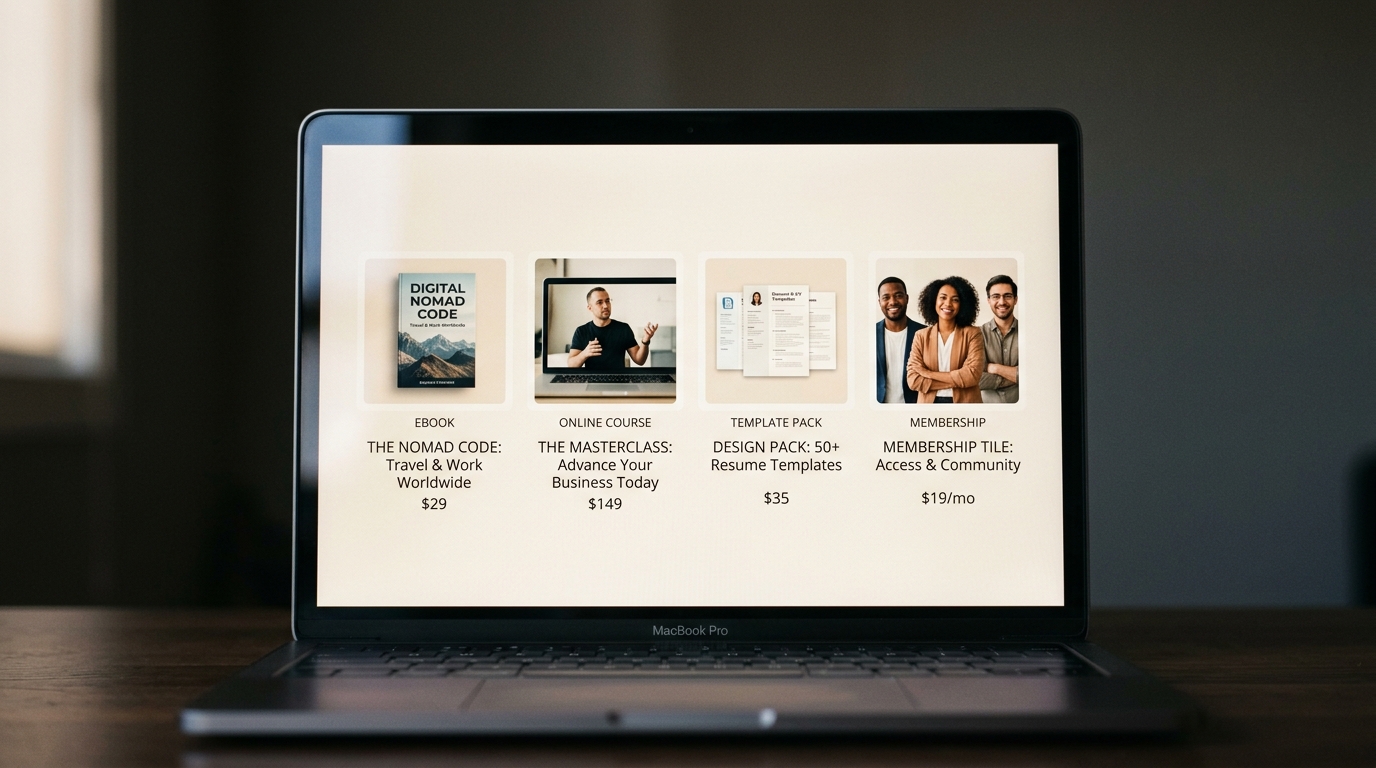
The best digital items to sell in 2026 are templates, presets and swipe files, specific guides, mini-courses, full courses and memberships, roughly in that order for a beginner. The first three are fastest to build and need almost no support. Courses and memberships have the highest ceiling but need an audience that already trusts you.
Whichever you choose, you can sell all of them from one place: shopspace handles downloads, courses, memberships, bookings, webinars and bundles in one store, with 0% taken per sale for $19 a month billed yearly.
"Sell digital products" is not a plan on its own. A $9 template and a $997 course are both digital products, but they need different audiences, different amounts of work and different launches. This list ranks eight types by how quickly a solo creator can get to a first sale, how much support they need, and how far they can grow.
The ranking at a glance
The price ranges are common asking prices you will see across creator stores. They are a rough guide to positioning, not survey data.
| Rank | Product | Common price range | Build effort | Support after sale |
|---|---|---|---|---|
| 1 | Templates (Notion, Canva, spreadsheets, Figma) | $9 to $49, bundles more | Low | Very low |
| 2 | Presets, swipe files and prompt packs | $5 to $49 | Very low | Very low |
| 3 | Specific guides and ebooks | $7 to $39 | Low | Very low |
| 4 | Mini-courses | $47 to $197 | Medium | Low |
| 5 | Full online courses | $97 to $997 | High | Medium |
| 6 | Memberships and communities | $5 to $50 a month | Medium | Ongoing |
| 7 | Workshops and webinars | $27 to $197 | Medium | Live time |
| 8 | Coaching and bookings | Per session | Low | Your time, every sale |
Every product that sells well shares three traits: it solves a specific problem for a specific person, it delivers value immediately, and you make it once and sell it many times. Filter every idea through those three before you build.
1. Templates: the best first product for most creators
Templates top the list because buyers know exactly what they are getting, the value is visible in a screenshot, and there is almost nothing to support after the sale. A good Notion template or Canva kit can be built in a weekend.
What sells: client CRMs for freelancers, content calendars, pitch decks, budget trackers, social media kits for one niche.
What kills it: being generic. "Instagram templates" competes with everyone; "Instagram templates for real estate agents" competes with almost no one. Add a short walkthrough video, because a template the buyer cannot figure out turns into a refund request.

2. Presets, swipe files and prompt packs
Lightroom presets, video LUTs, copy swipe files and prompt packs are the fastest products to make: you curate or build the asset once and it downloads forever.
What sells: a recognisable photo style, cinematic video grades, proven ad hooks or cold email templates for one industry, prompt packs for a specific job.
What kills it: no proof. Presets live on the before and after, and swipe files live on evidence that the examples worked. If you cannot show results, the product is hard to trust.
3. Specific guides and ebooks
Ebooks have a reputation problem because so many are 40 pages of general advice. The format still works when it is narrow and concrete. "How to build a freelance business" is a book nobody finishes. "The cold email sequence for landing your first three retainer clients" is a product people buy.
Guides also make the best entry products: cheap enough to buy on impulse, and a natural step towards your course or membership. For delivery and pricing details, see how to sell digital downloads.
4. Mini-courses: the best price for the effort
A mini-course is 60 to 90 minutes of focused teaching on one outcome, such as "launch your first Etsy listing in a weekend" or "set up your bookkeeping in one afternoon". It sells at course prices without the months of production a full course needs.
What kills it: scope creep. If it grows into six hours, you have built a full course and are selling it at a mini-course price.
5. Full online courses: the highest ceiling per product
Courses have the highest ceiling of any single product, because buyers treat them as an investment rather than a download. The trade-off is build time: curriculum, recording, editing and support.
The arithmetic shows why the ceiling is high. For illustration, if 2% of a 2,000-person email list bought a $297 course, that is 40 students and $11,880 from one launch. That depends entirely on the list and the offer, so treat it as a worked example, not a forecast. Pricing is its own decision: how to price an online course covers tiers and when to raise the price.
The smart order: sell a guide or template first, and build the course once buyers ask for more depth.
6. Memberships and communities: recurring revenue
Memberships are the only product where revenue carries over from month to month. For illustration, 100 members at $15 a month is $1,500 a month for as long as they stay. That is also the catch: they only stay if there is a reason every month, such as new content, live calls or an active community. Members who feel they have got everything will cancel.
Memberships work best once you already publish regularly and have an audience that trusts you. They are rarely a good first product. For the setup, see how to build a paid membership site.
7 and 8. Workshops, webinars and coaching
Live workshops and webinars sit between a product and a service: you teach once to many people, and the recording can become a product afterwards. Coaching and one-to-one bookings earn the most per hour but are still limited by your calendar, so treat them as a bridge while you build products that scale. They also work well as the top tier above a course.
What platform fees do to low-priced products
The cheaper the product, the more a per-sale fee hurts, because many platforms charge a flat amount per transaction as well as a percentage. On a $9 template, a fixed charge plus a cut can take a noticeable share of every sale.
The table compares what the platform takes at two monthly revenue levels. The 5% and 10% columns are illustrative percentage cuts, not a specific platform, so check your own platform's pricing page. Card processing (Stripe or PayPal) applies on every platform, so it is left out to keep the comparison fair. The shopspace line uses $19 a month billed yearly ($29 month to month).
| Monthly sales | Platform taking 5% | Platform taking 10% | shopspace (0%, $19/mo yearly) |
|---|---|---|---|
| $500 | You keep $475 | You keep $450 | You keep $481 |
| $2,000 | You keep $1,900 | You keep $1,800 | You keep $1,981 |
A flat $19 costs less than a 10% cut once you sell more than $190 a month. Below that, while you are testing a first product, a percentage-only platform can be cheaper.
At $2,000 a month in template and course sales, a 10% cut is $200 you never see. Start a 7-day free trial of shopspace and keep it: 0% per sale, flat $19 a month billed yearly.
Etsy or your own store?
Etsy has one thing your own store does not: buyers already searching for printables, planners and templates. For visual, searchable products, that marketplace traffic is real, and it can get you early sales before you have an audience. In exchange you pay Etsy's listing and transaction fees on every item and you share the page with competitors. The full breakdown is in Etsy seller fees for digital products.
Your own store is where courses, memberships, coaching and bundles belong, and where you keep the customer's email address. shopspace does not bring you buyers the way a marketplace does; you bring the traffic, and in return no platform takes a share of the sale. Many creators do both: Etsy for discovery, their own store for everything else.
How to pick the right product for where you are
- Under 500 followers: a template, preset pack or short guide priced low. The goal is a first sale and proof that someone will pay.
- 500 to 2,000 engaged followers: a specific guide, a mini-course or a small paid workshop. You have enough people for a small launch; focus on one product.
- 2,000 or more, or an email list: a full course or a membership is worth the build. Add a lower-priced product as an entry point and a coaching tier on top.
Once you have two products, sell them together. A bundle raises the average order without a price increase, and you can offer the cheaper product as an order bump at checkout.
The verdict
If you are starting today, build a template or a specific guide this weekend, sell it to the people who already ask you questions, and use what they ask next to decide on your mini-course or course. Leave memberships until you publish regularly. The category matters less than being specific: one clear problem, one clear buyer, one product that delivers itself.
When you have that first product, set up your store on shopspace and sell every format on this list from one place with 0% taken per sale. A card is required at signup and nothing is charged for the first 7 days.