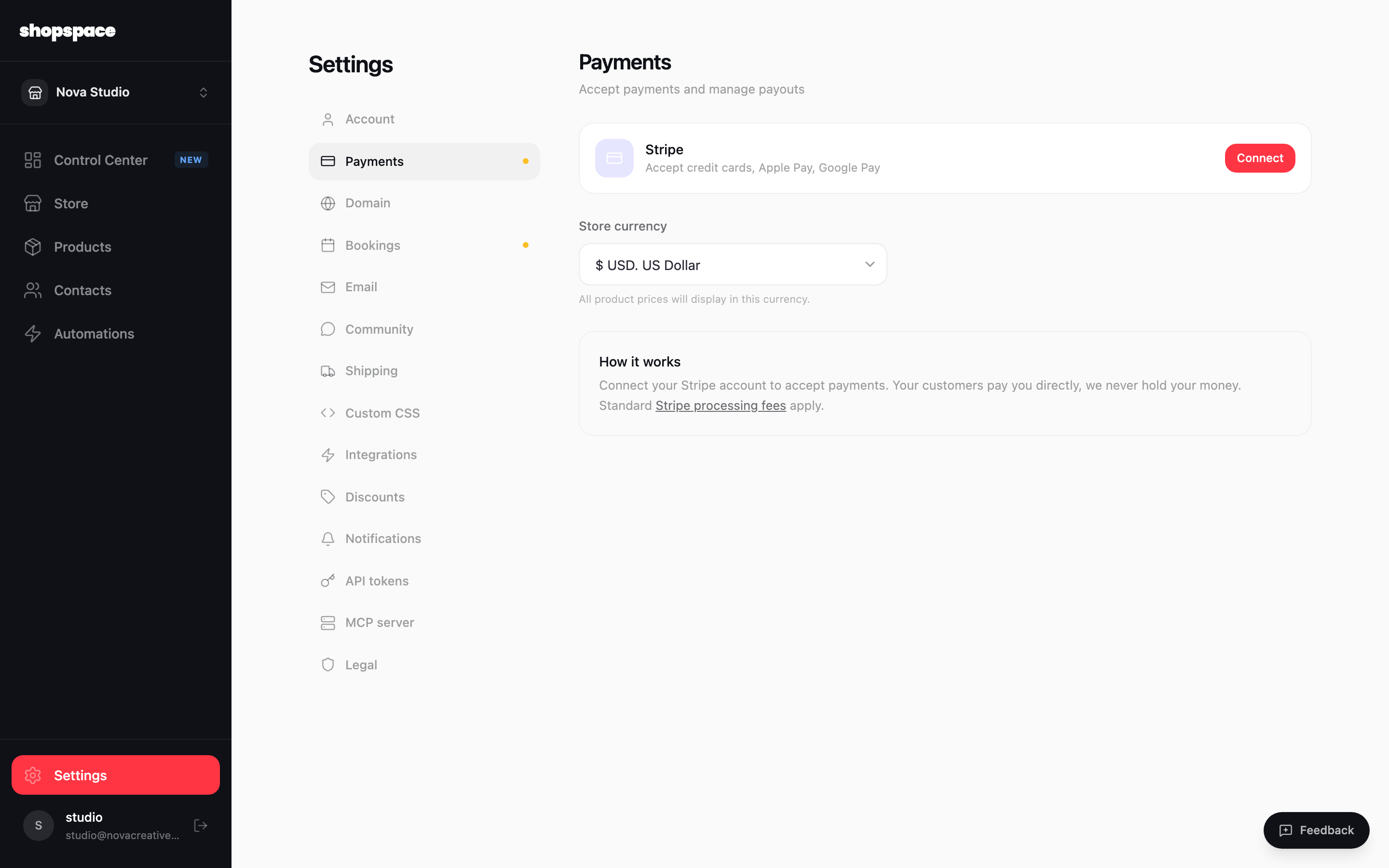
shopspace uses Stripe to process payments, so customers can pay by card, Apple Pay, or Google Pay. Your earnings go directly to your own Stripe account. shopspace never holds your money.
4 min · 3 steps
1
Open Settings and go to Payments
From the left menu choose Settings, then the Payments tab. You will see the Stripe card and your store currency.
2
Connect your Stripe account
Click Connect. shopspace sends you to Stripe to sign in or create an account and enter your business details. This is what lets you receive payouts. When Stripe is done it brings you back here and the card shows as connected.
3
Set your store currency
Choose the currency your prices display in. Do this before you start selling, since it affects how every product price is shown at checkout.
Good to know
Standard Stripe processing fees apply on each sale. shopspace does not add a platform fee on top.
Payouts are handled entirely by Stripe on your own payout schedule, so you control when and where the money lands.