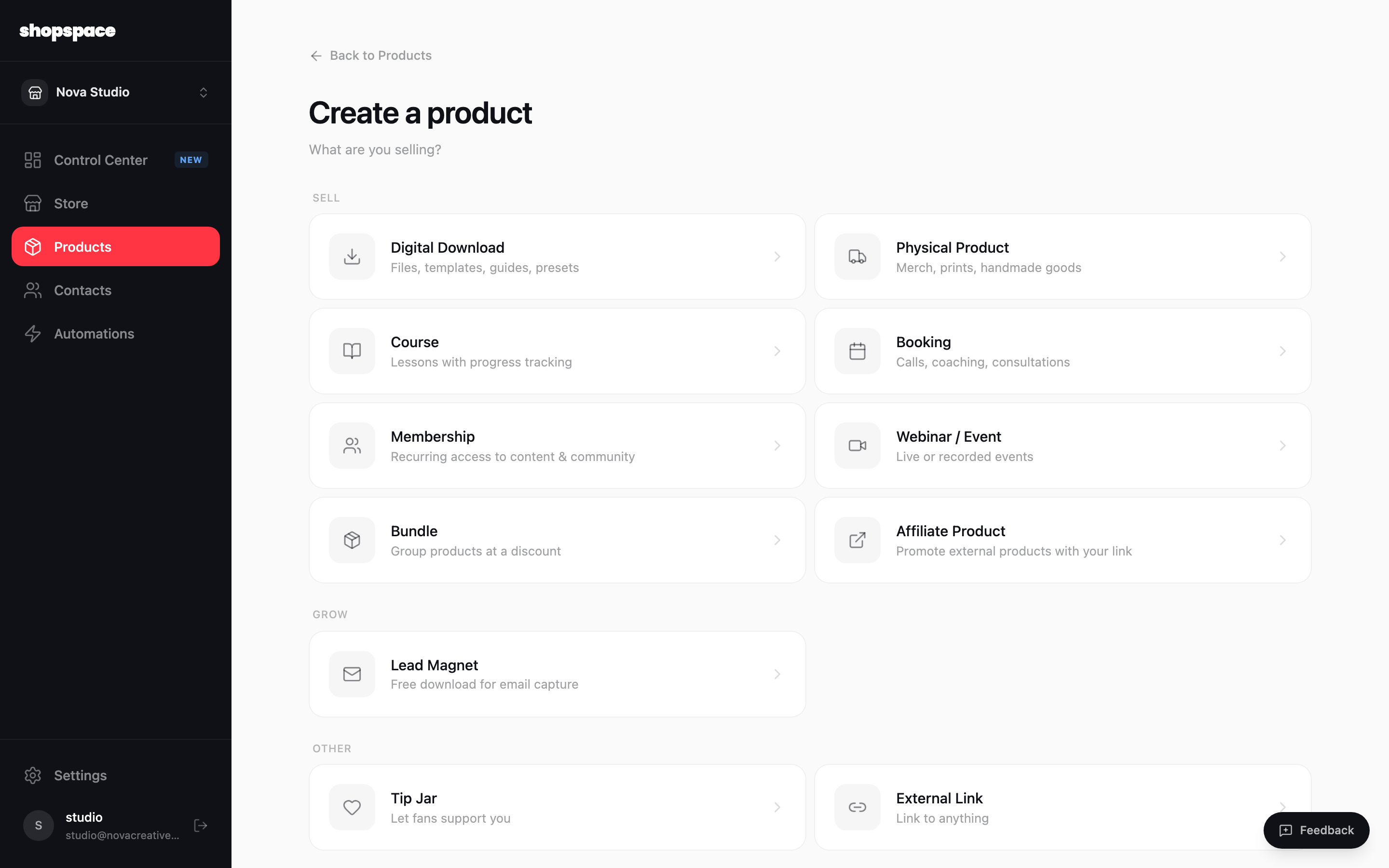
A course is a product made of lessons your customers work through, with progress tracking built in. You create the course like any product, then add your lessons.
5 min · 3 steps
1
Add a product and choose Course
Go to Products, click Add Product, and pick Course. This creates a product customers unlock and then learn from.
2
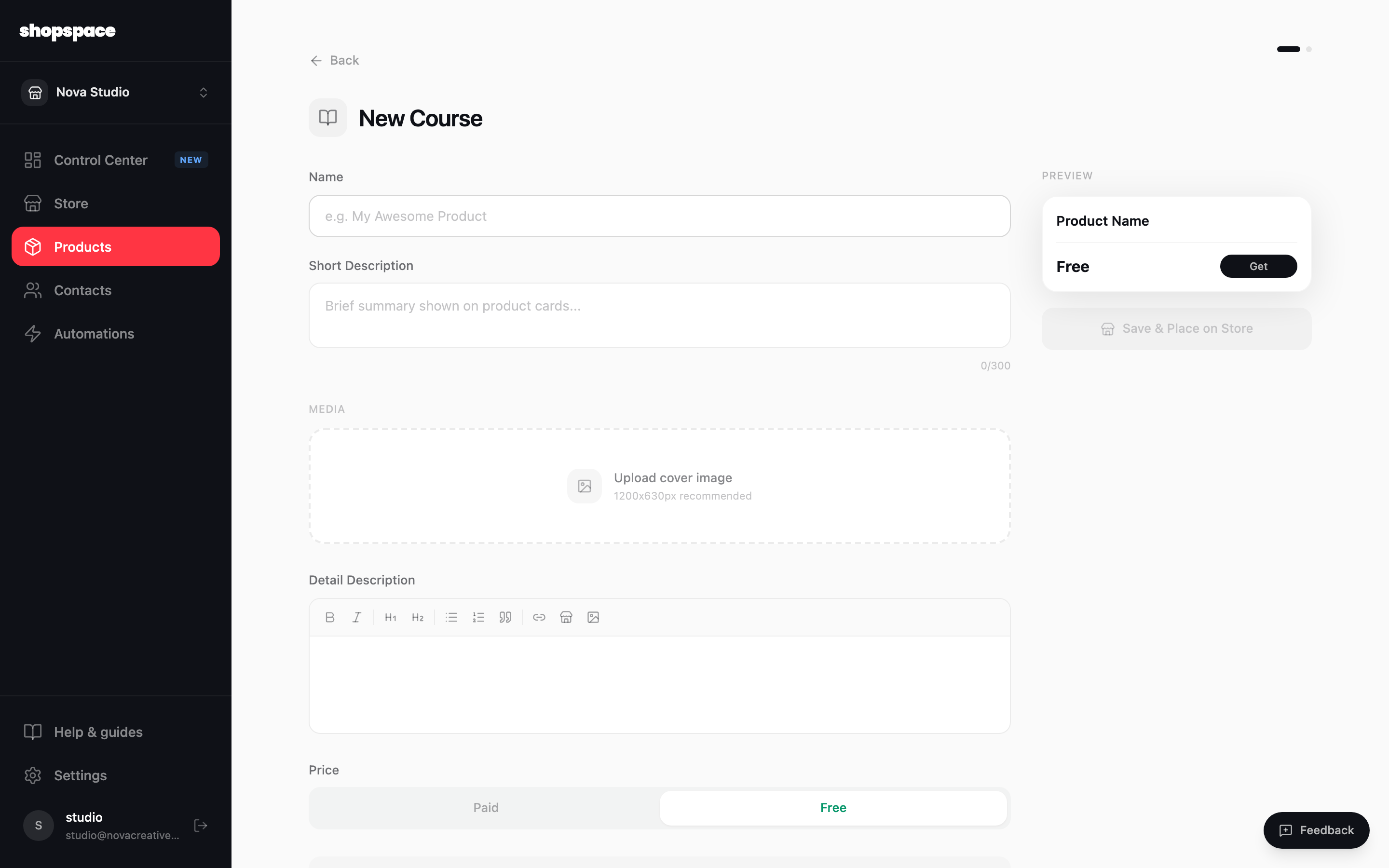
Name and describe your course
Give it a name, a short description for the product card, and a fuller detail description. Add a cover image, then set it as Free or Paid. The panel on the right previews the product card as you type.
3
Add your lessons
Save the course, then add lessons to it. Each lesson can hold a video, text, and downloads, and it marks as complete once a member finishes it. Add as many as you need, drag to reorder, and publish when it is ready.
Good to know
Start with a short free lesson as a preview. It gives new customers a taste before they buy the rest.
Put related lessons in order. Members move through them top to bottom and their progress saves automatically.
Hosting lesson videos on YouTube or Vimeo? Read "Where to host your course videos" in this documentation before you pick privacy settings for paid lessons.