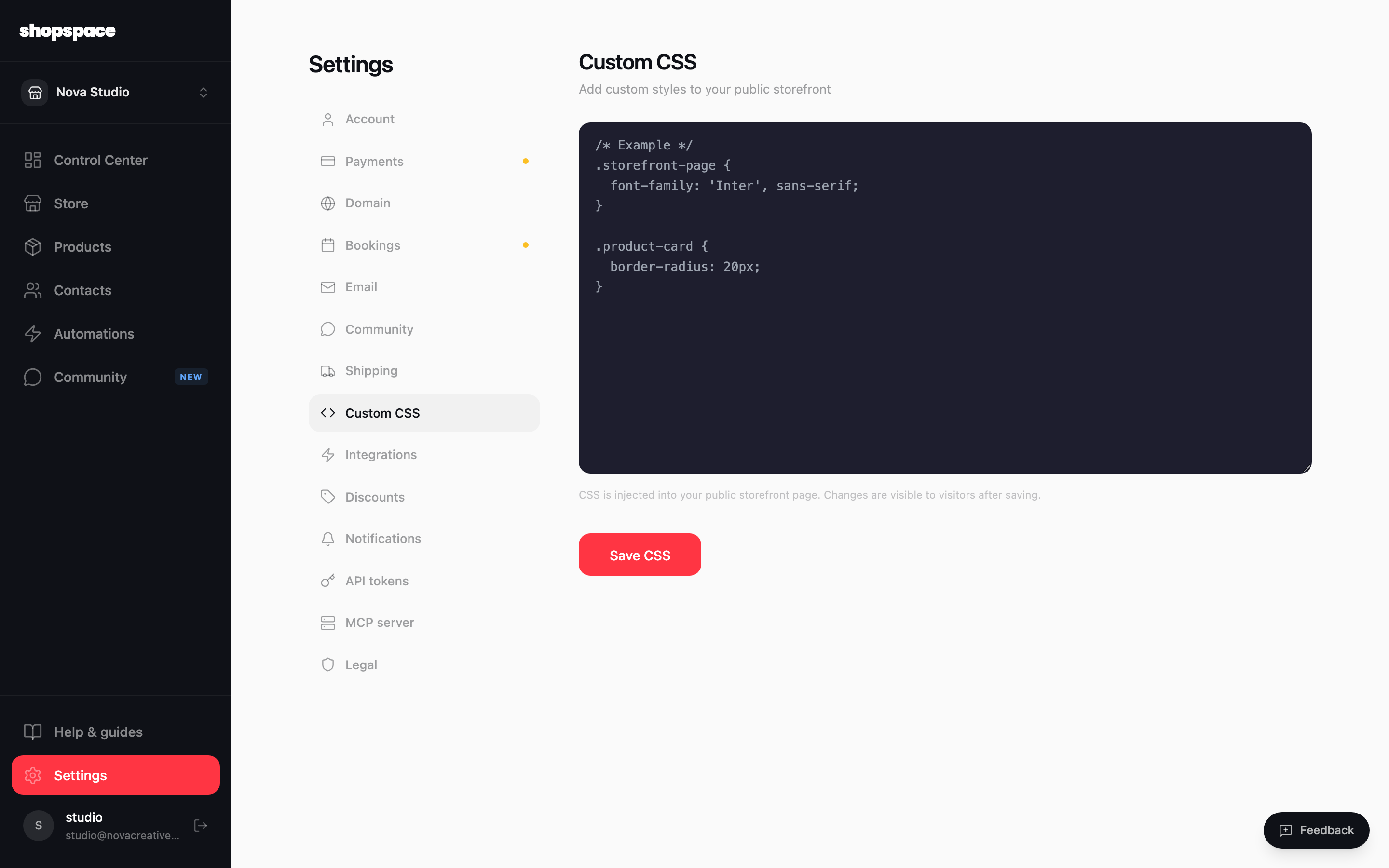
The design settings cover most of what you need, but if you want precise control over your storefront's look you can add your own CSS. It is injected into your public storefront and applies on top of your theme.
2 min · 2 steps
1
Open Settings, then Custom CSS
From the left menu choose Settings, then Custom CSS. You get a code editor where you can target elements of your storefront, like .storefront-page or .product-card, and set fonts, colors, spacing, and more.
2
Save and it goes live
Click Save CSS. Your styles apply to your public storefront right away, so visitors see the change. Clear the CSS anytime to go back to the theme defaults.
Good to know
Custom CSS applies to your public storefront, not your admin view. Changes are visible to visitors as soon as you save.
Start small and preview often. A few rules for fonts and rounded corners go a long way.