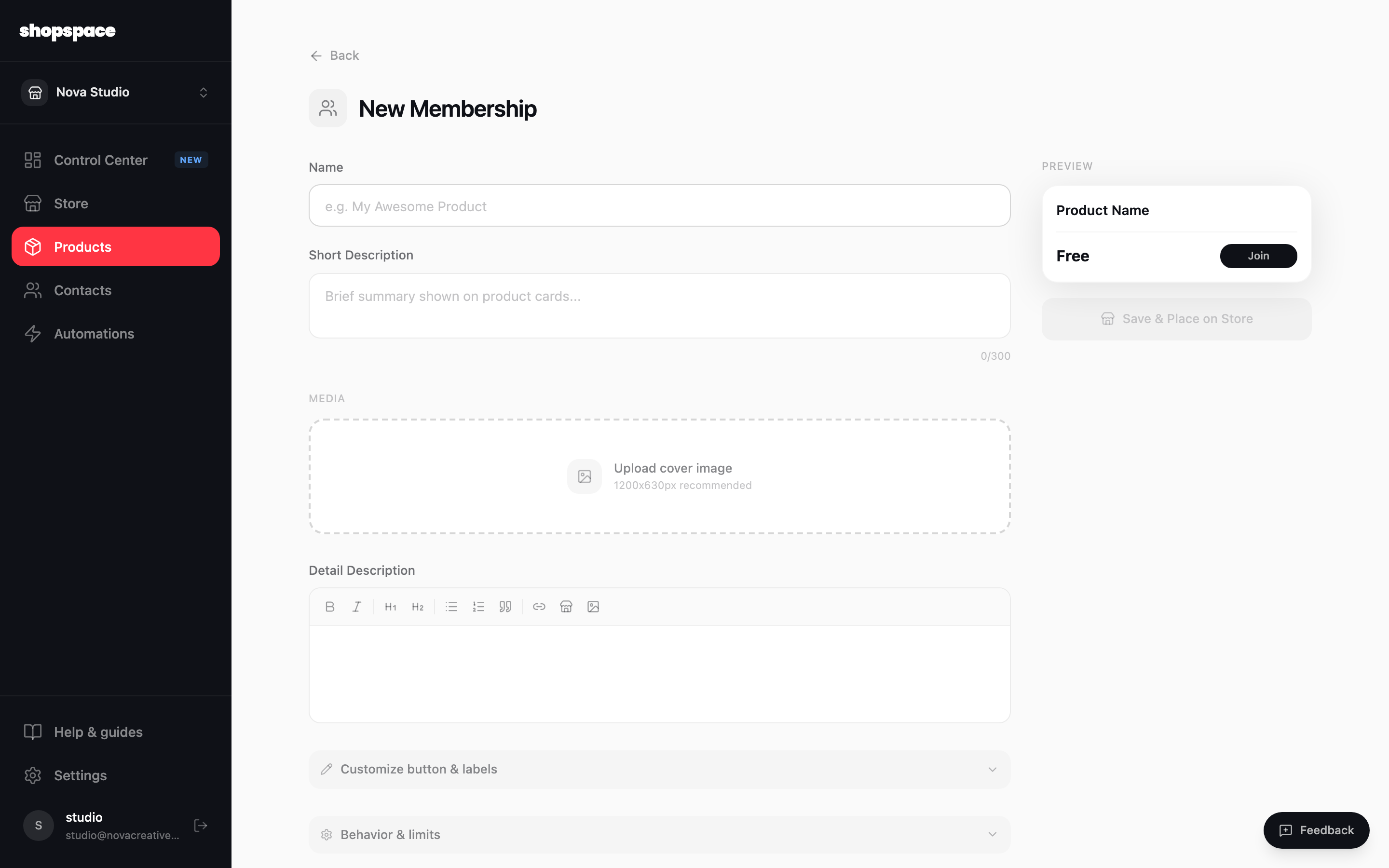
A membership gives people recurring access to your content, gated products, and an optional community, billed monthly or yearly. You set up one or more tiers and choose what each unlocks.
5 min · 3 steps
1
Add a product and choose Membership
Go to Products, click Add Product, and pick Membership. Give it a name and description like any product.
2
Add your tiers and gated content
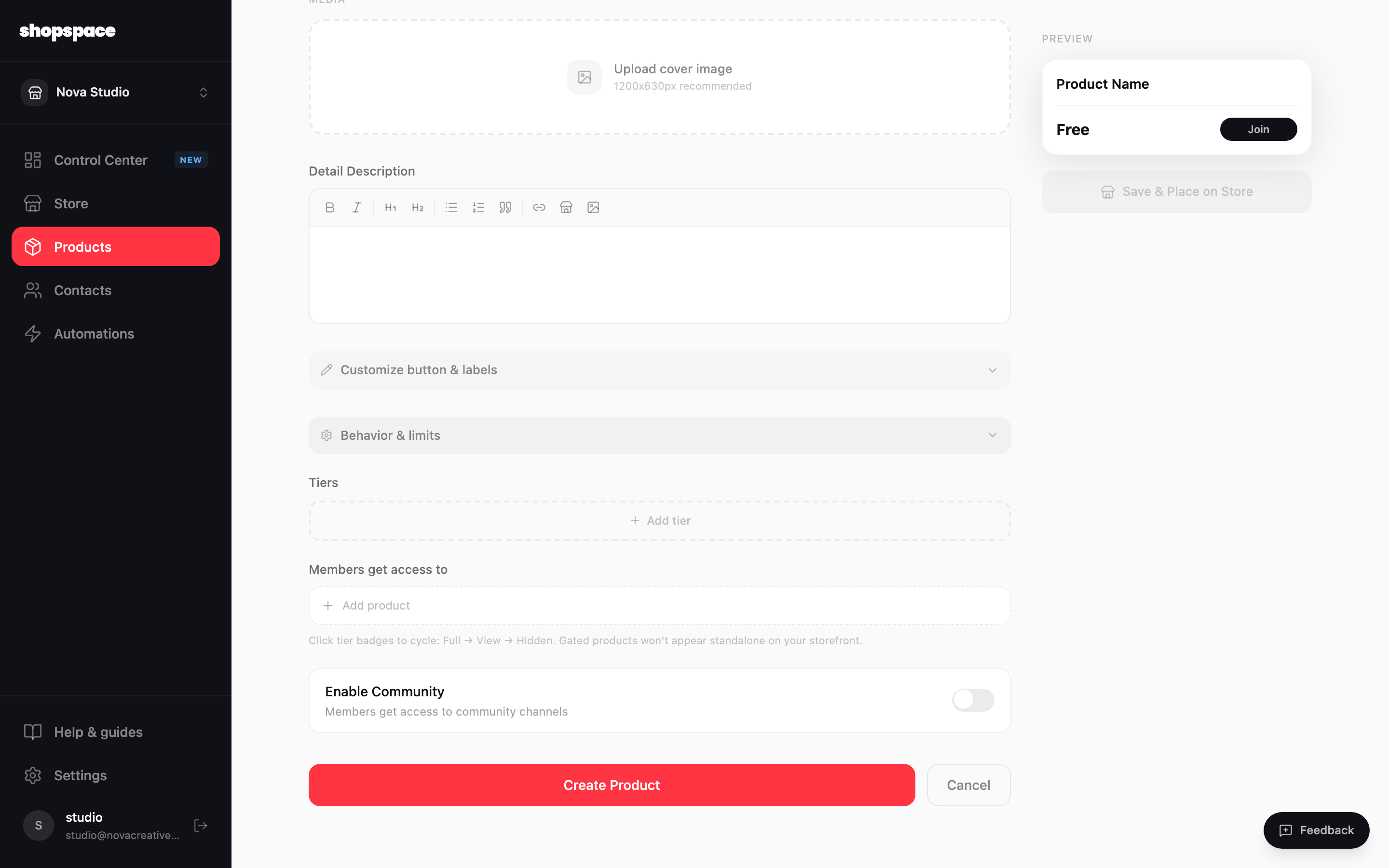
Under Tiers, click Add tier to create each plan and its monthly or yearly price. Then under Members get access to, add the products a tier unlocks. Gated products stay hidden from your storefront and only appear to members.
3
Turn on community if you want it
Flip Enable community to give members their own channels to talk with you and each other. Click Create Product when it is ready.
Good to know
Two tiers is a good start: an affordable one and a premium one. Too many choices slows people down.
Yearly pricing at a small discount smooths your income and reduces month-to-month churn.