What your members see
When someone joins your membership they log in to their own member portal. It is separate from your admin view and shows only what their tier unlocks. Here is what that experience looks like, so you know exactly what you are delivering.
The member dashboard
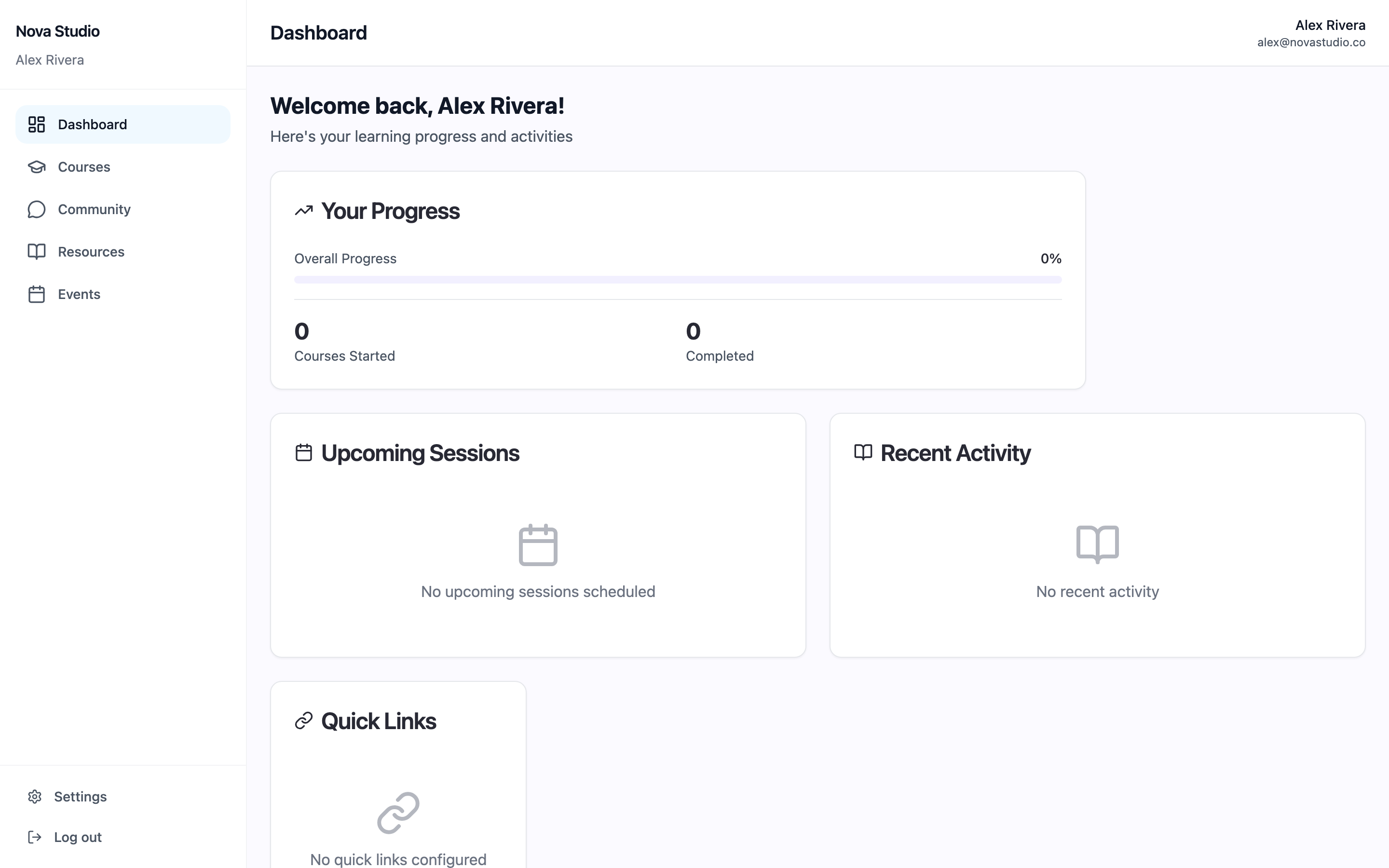
After logging in at your membership page, members land on a personal dashboard: a welcome, their course progress, upcoming sessions, recent activity, and any quick links you set. The left menu is their whole world: Dashboard, Courses, Community, Resources, and Events.
Courses and resources
Under Courses, members see the courses their tier can open and their progress through each. Resources holds downloads and files. What shows here is driven entirely by the access you set on your membership, so a Free member and a VIP member can see different things.
Community, events, and settings
Community gives members your channels and direct messages, gated by their tier and roles. Events lists any live sessions or webinars. Members manage their own profile and billing under Settings.
Good to know
- The portal lives at your membership page (yourstore.shopspace.io/membership). Share that link so members always know where to log in.
- If something is missing for a member, check that tier's access on the membership. Everything they see follows the access you configured.