Send email from your own domain
By default your store emails come from shopspace.io. Connecting a custom email domain means receipts, confirmations, and updates arrive from your own address instead, which looks more professional and improves deliverability. You add a few DNS records to prove you own the domain.
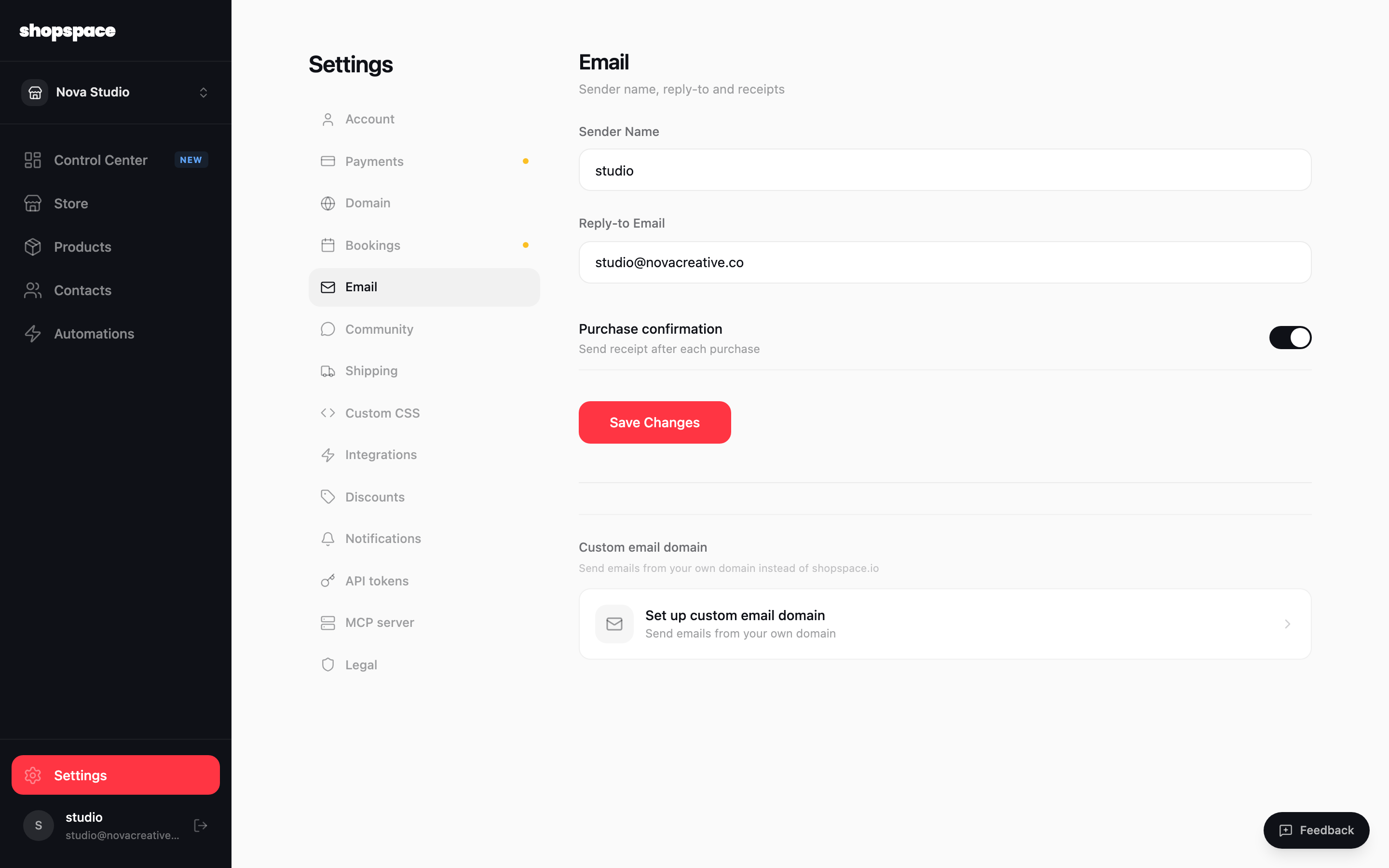
Open Settings, Email, and find Custom email domain
From the left menu choose Settings, then the Email tab. Below the sender name and reply-to settings you will find the Custom email domain section. Click Set up custom email domain.
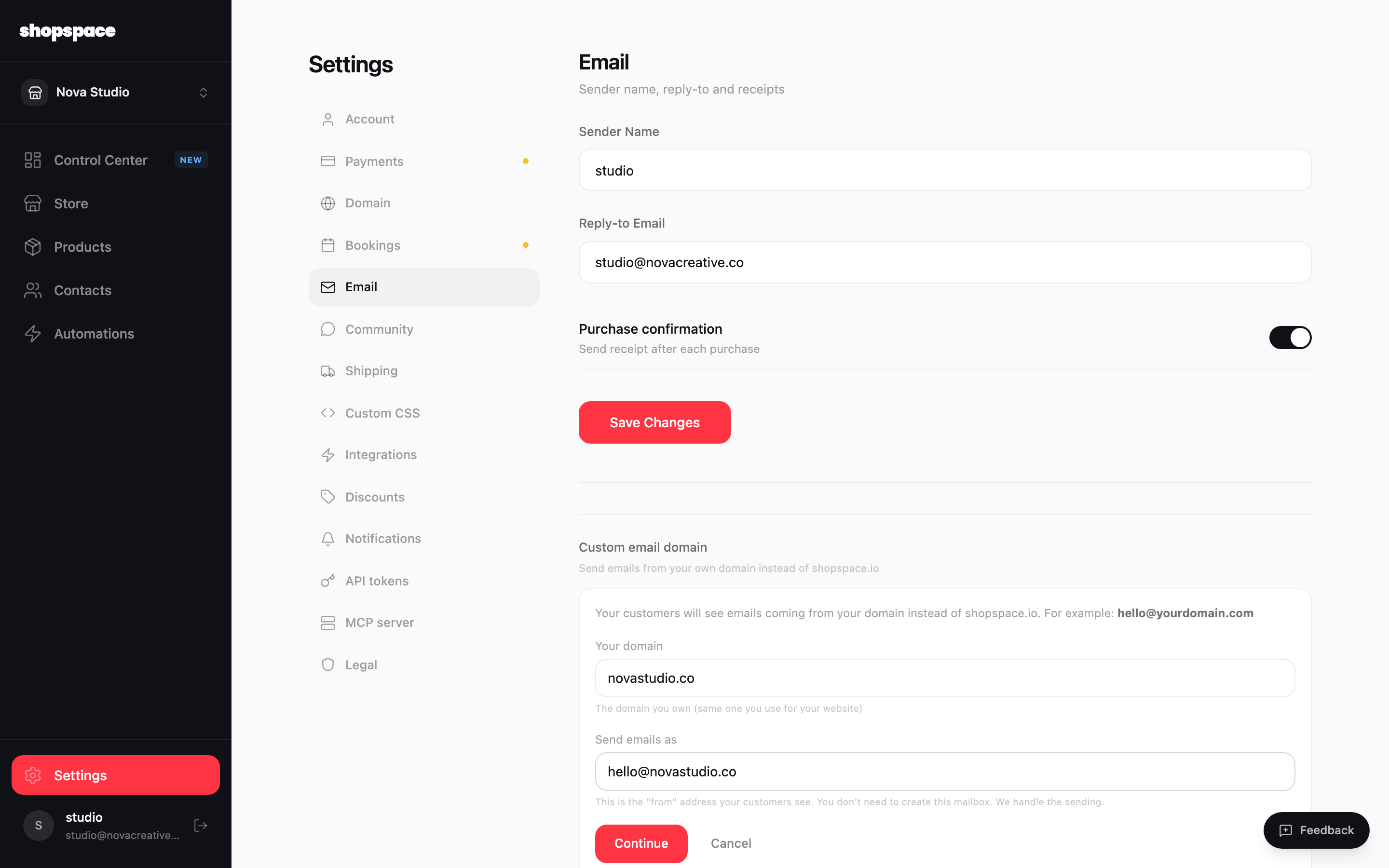
Enter your domain and from address
Type the domain you own, for example novastudio.co, and the address customers should see emails come from, like hello@novastudio.co. You do not need to create that mailbox. shopspace handles the sending. Click Continue.
Add the DNS records and verify
shopspace shows you a short list of DNS records to add at your domain provider, the same place you manage your website DNS. Add each one, then come back and click Verify. Once the records are found, your domain is confirmed and your store starts sending from your address.
Good to know
- The records prove you own the domain and authorize shopspace to send on your behalf (SPF and DKIM). They do not change your website or your existing email.
- DNS can take up to a few hours to update. If verification does not pass right away, wait a bit and try again.