Products are the things you sell. shopspace handles digital downloads, courses, bookings, memberships, physical goods, and more. Here is how to add your first one.
3 min · 3 steps
1
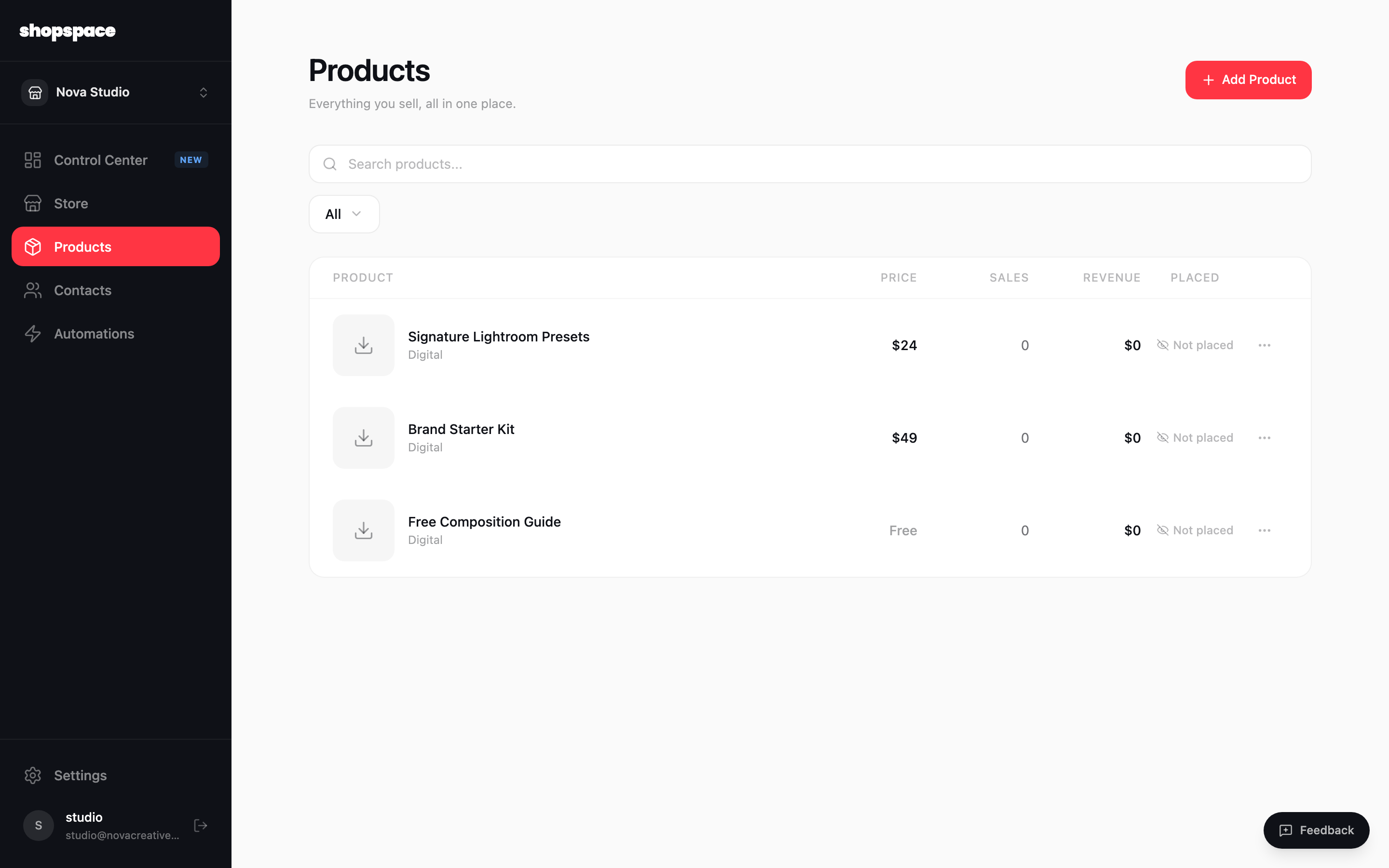
Open Products and click Add Product
Choose Products in the left menu. This is where all of your products live. Click Add Product in the top right to start a new one.
2
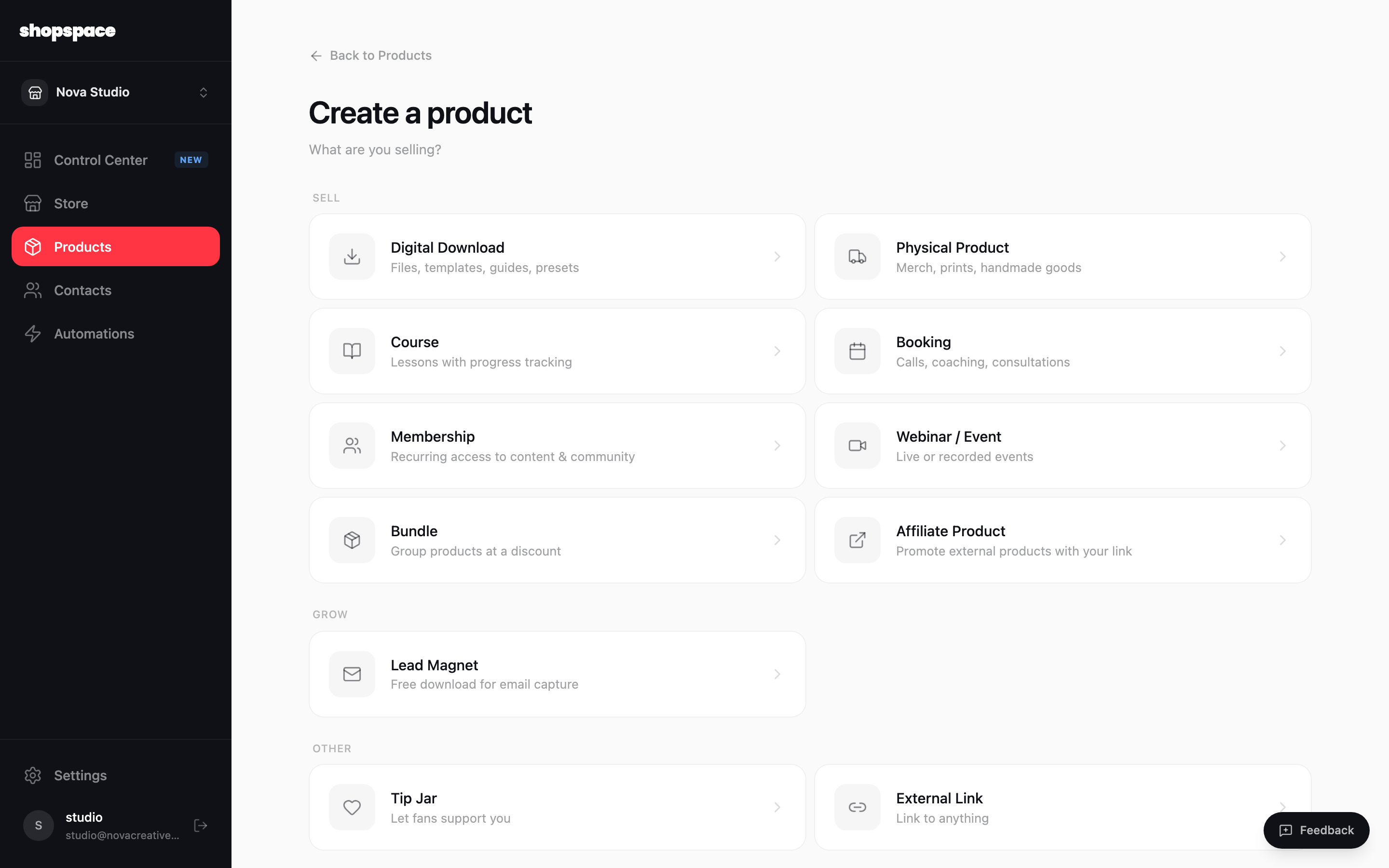
Choose what you are selling
Pick the type that fits. A Digital Download for files and presets, a Course for lessons, a Booking for calls, a Membership for recurring access, and so on. You can always change the details later.
3
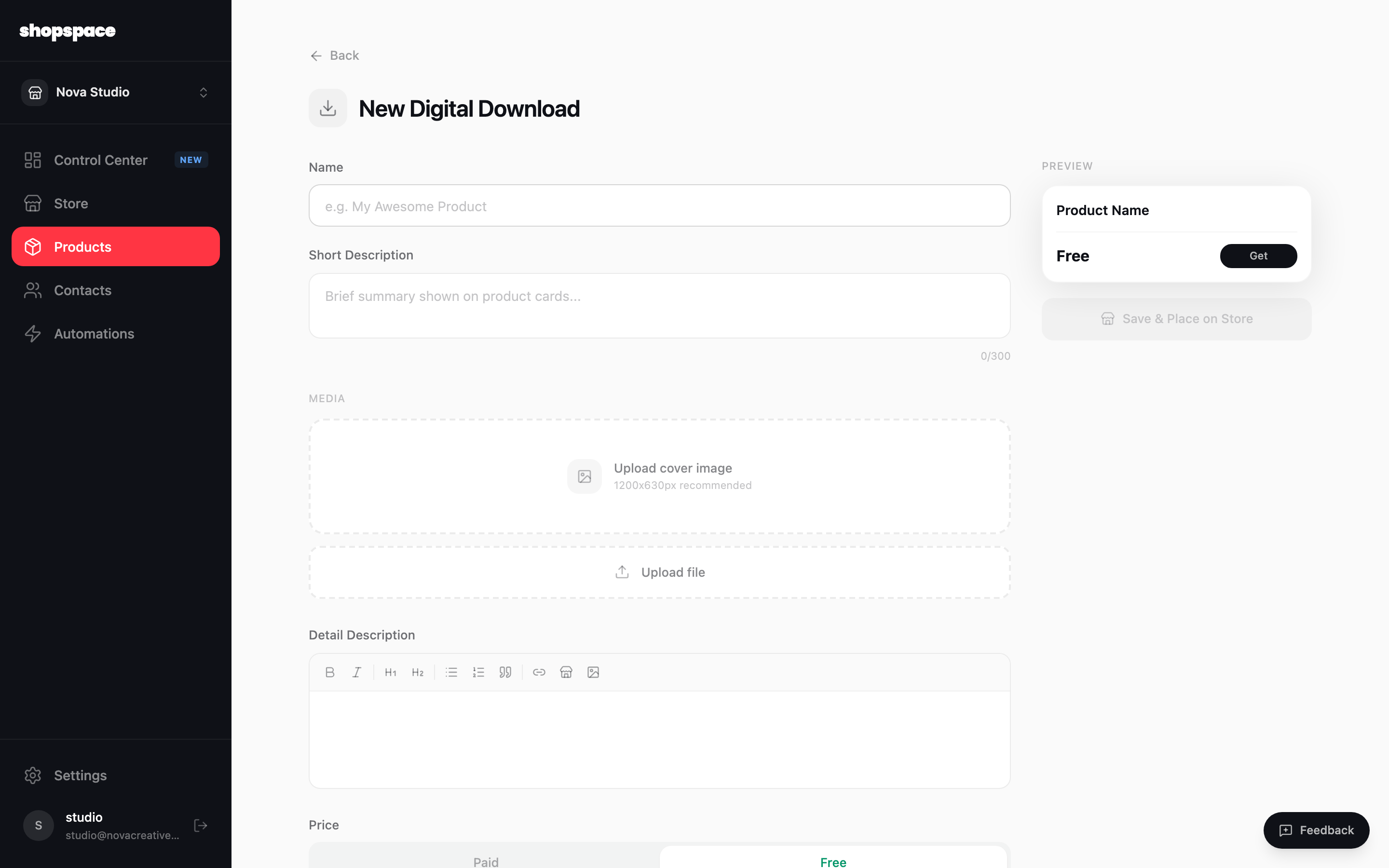
Fill in the details
Give it a name, a short description, and a price (or mark it free). Upload a cover image and, for a download, the file customers receive. The panel on the right shows a live preview of the product card. When it looks right, click Create Product.
Good to know
Add a cover image at 1200 by 630 pixels for the sharpest look on your storefront and in link previews.
You can save a product and place it on your store in one click, or create it now and add it to a page later.