Discount codes let customers take a percentage or a fixed amount off at checkout. You can limit how many times a code is used, set an expiry, and apply it to all products or just some.
3 min · 3 steps
1
Open Settings and go to Discounts
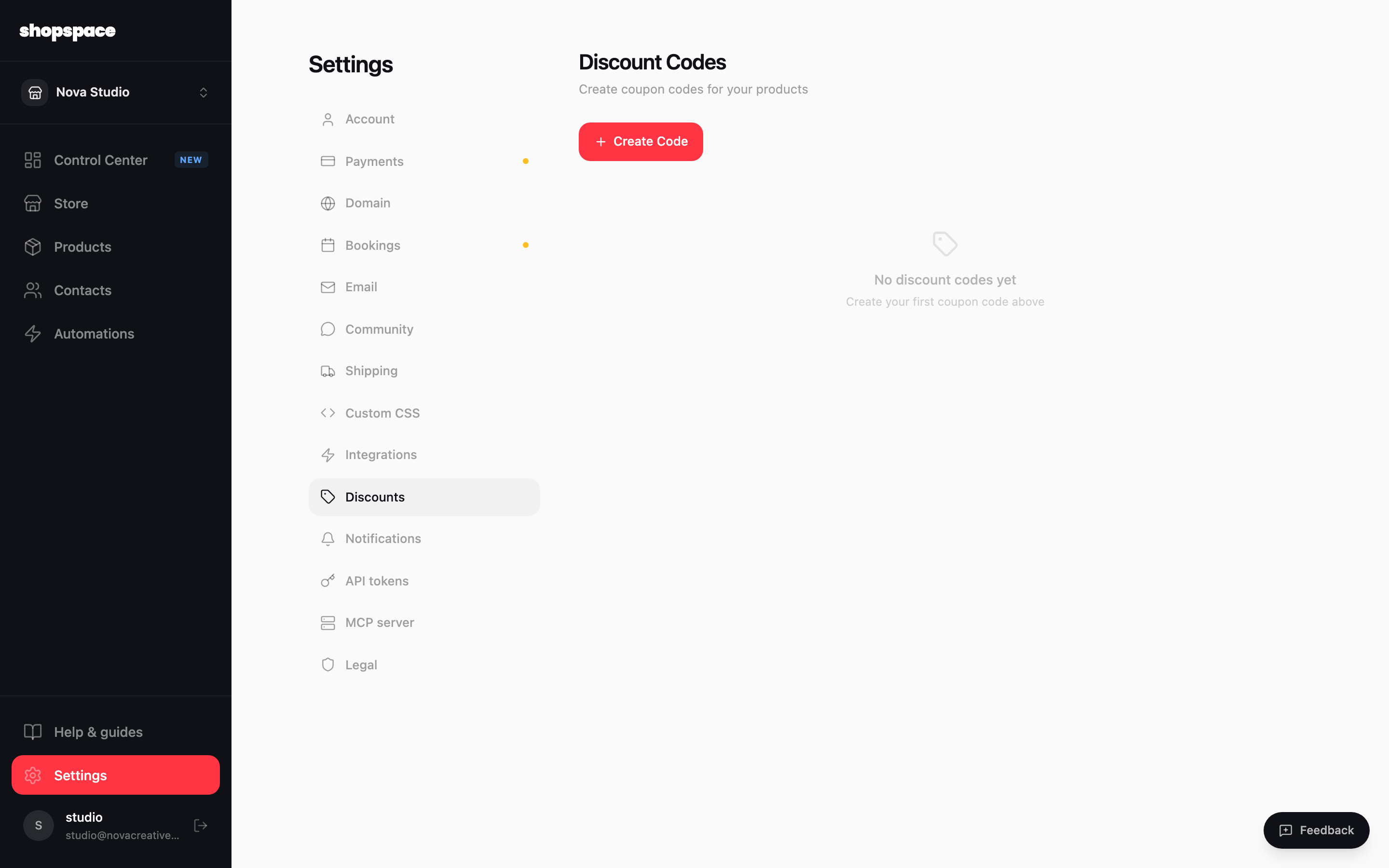
From the left menu choose Settings, then the Discounts tab. This is where all of your coupon codes live. Click Create Code.
2
Set the code and the amount
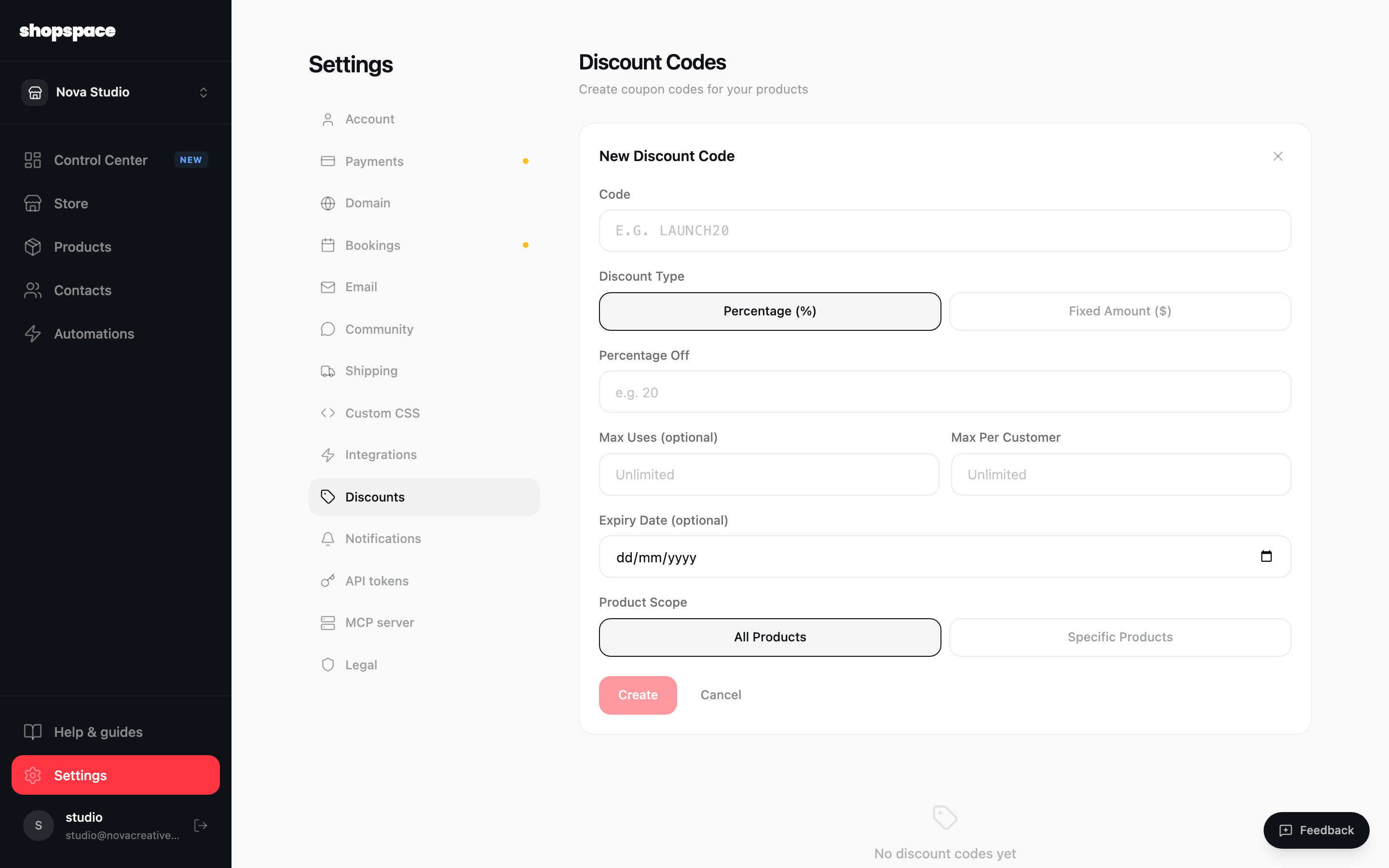
Type the code customers will enter, like LAUNCH20. Choose Percentage or Fixed amount and enter the value. Optionally cap the total uses, limit uses per customer, and set an expiry date.
3
Choose what it applies to
Leave it on All products, or pick Specific products to limit the code to certain items. Click Create and your code is live. Customers enter it in the discount field at checkout.
Good to know
Codes are shown in uppercase and are not case sensitive for customers, so LAUNCH20 and launch20 both work.
Use Max uses for a limited launch offer and an expiry date for a seasonal sale, so the code turns off on its own.